
VibeMe AI: Playable Studio
Giant GlobalPhotography
4.4258.00 Reviews
- Version
- 3.0.0
- Installs
- 500.00K
- Age Rating
- Teen
Screenshots
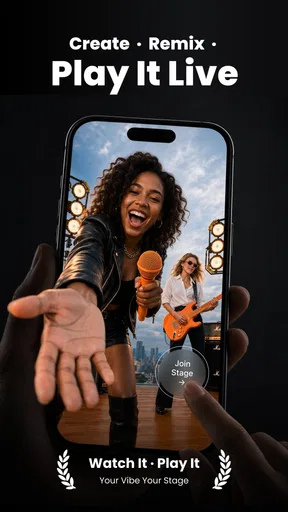
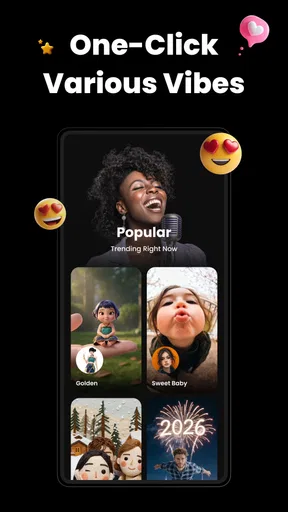
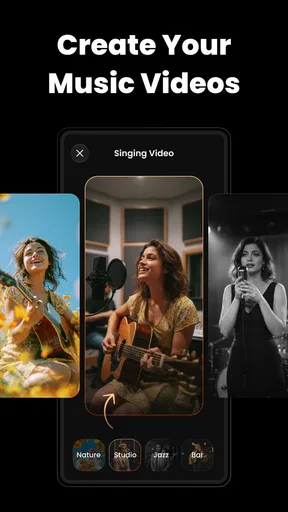
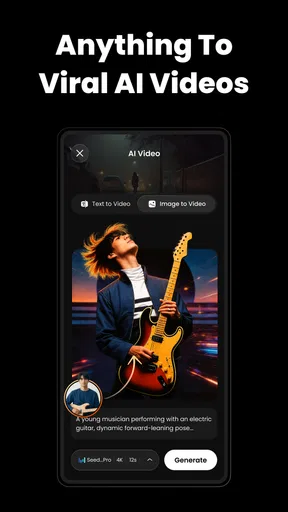
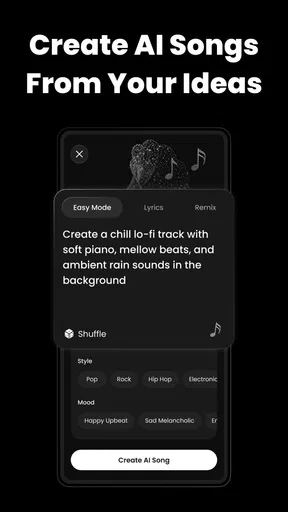
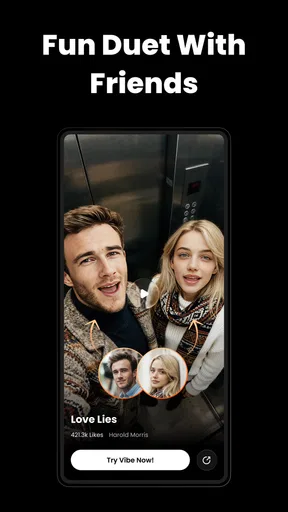
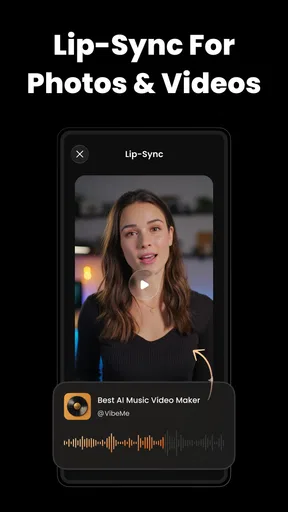
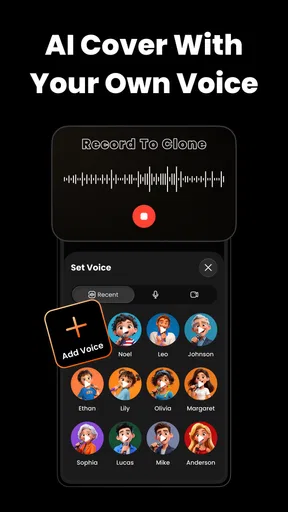
Our Review of VibeMe AI: Playable Studio
 Analysis by Appyee
VibeMe AI: Playable Studio is a photography app with an unusual creative focus: it brings together interactive AI music, videos, and live experiences instead of treating a photo as a finished, static file. I found it most interesting when I approached it as a place to experiment rather than as a conventional camera replacement. The appeal is in making something that reacts, changes, or invites participation, then returning to it to remix the idea.
That makes the app a better fit for curious creators than for someone who only wants quick filters and dependable manual controls. I would recommend it to people who enjoy testing visual concepts, building social posts with a more playful feel, or turning a rough idea into something others can explore. My experience also suggests that the best results come from using a repeatable workflow. Opening the app without a plan can feel scattered, while a small routine makes its creative tools much easier to judge.
How I approached the studio from the first session
I started with a simple goal: create one small experience, inspect it, and then remix it instead of trying to understand every possibility at once. That approach matters because the app combines several creative directions. Music, video, and live experiences do not demand the same decisions, so treating them as separate stages keeps the process manageable.
For a first project, I would choose one visual idea and one mood. For example, a street photo, a short personal clip, or a color theme can become the starting point. I would then test the result before adding more changes. This prevents a common problem with creative AI tools: making several adjustments at once and losing track of which change actually improved the piece.
The most useful baseline habit is to keep the first version deliberately simple. I make an initial result, play or view it from beginning to end, and note the moment that feels strongest. Then I remix around that moment. This is more effective than endlessly polishing the opening because interactive work is judged by how it behaves after the first impression.
In everyday use, I can imagine opening VibeMe AI before sharing a travel photo with friends. Instead of posting the image immediately, I might use it as the visual anchor for a short, mood-driven experience, add an audio direction, and send the result for feedback. The app becomes a creative layer between taking the picture and publishing it. That extra step is worthwhile when the story behind the image matters more than a perfect snapshot.
The baseline workflow also answers an important practical question: does this replace a normal photo editor? In my view, no. A traditional editor remains the better choice for precise cropping, exposure correction, retouching, and predictable export work. VibeMe AI is more valuable when I want the image to become part of an experience. I would use both kinds of apps together rather than forcing one tool to do every job.
What I would prepare before creating
I get better results when I decide in advance who the piece is for. A private experiment can be strange and unfinished; something intended for friends needs a clear first impression; a public-facing post needs more attention to pacing and readability. This small decision changes how much time I spend remixing and how much ambiguity I allow.
I also keep the source material focused. A single strong image or a short clip gives the creative process a clearer center than a collection of unrelated assets. When the starting point is too broad, the result can feel like several ideas placed together rather than one coherent experience. VibeMe AI rewards a clear theme, even when the final result is playful.
Another useful habit is to save a mental description of the starting version. I might describe it as “quiet, visual, and slow” or “bright, quick, and social.” After a remix, I compare the new version with that description. This makes evaluation less dependent on the excitement of seeing something new and helps me recognize when an effect is impressive but not actually suitable for the project.
Settings and choices worth checking before polishing
Because the app is designed around creation and remixing, I would spend time checking the available controls before committing to a finished result. I would look first at the way a project is presented: whether the visual focus is obvious, whether the audio supports it, and whether the interactive element is easy to understand. These checks are more important than adding another decorative change.
I would also review any options related to playback, sharing, or the way a live experience is viewed before sending a project to someone else. The reason is simple: a piece can look excellent while editing and still feel confusing when another person encounters it without explanation. Testing it as a viewer, rather than only as its creator, exposes that problem early.
One of my preferred checks is to revisit the project after a short break. AI-assisted creation can make novelty feel like quality. After stepping away, I can usually tell whether the visual rhythm still works or whether the result only seemed exciting because I had just generated it. This is especially helpful when several remixes are similar.
There is also a financial setting worth keeping in mind. The app is free to install, but it includes individual in-app purchases ranging from forty-nine cents to one hundred ninety-nine dollars and ninety-nine cents. I would not start experimenting by buying anything. I would first understand which parts of my workflow I actually use, then decide whether a purchase solves a real limitation rather than simply unlocking more possibilities.
That range makes restraint particularly sensible for beginners. A person who only wants occasional creative posts may find the free experience sufficient, while a frequent creator may eventually consider paid options. Either way, I would treat spending as a project decision: pay only when the benefit is clear for a repeated task, not because an unfinished idea feels urgent.
The app is rated for teens, which is relevant for families deciding whether it belongs on a shared device. I would still encourage a young user to discuss what they create and share, particularly when an interactive result includes personal images or recognizable locations. The age label gives useful context, but thoughtful sharing habits remain important.
Small checks that improve the final result
Before I call a project finished, I would inspect it in three passes. First, I would watch or play it without editing. Second, I would focus only on whether the main idea is understandable. Third, I would consider whether I would still enjoy it after seeing it several times. This separates technical curiosity from lasting appeal.
I would also compare a remix with its starting point instead of judging it alone. If the new version adds energy but removes the subject’s identity, it may be a weaker result. If it changes the mood while preserving the main visual idea, it is probably a more successful remix. That comparison is one of the simplest ways to avoid adding effects merely because they are available.
For sharing, I would keep the first version short and easy to enter. Someone receiving a creative link or project should not need a long explanation to understand what to do. If the experience depends on instructions, I would simplify the opening or make the intended action obvious through the visual arrangement. This is a practical difference between creating for myself and creating for an audience.
Faster patterns for people who use it regularly
Once I understood the basic workflow, I would stop treating every session as a blank page. A repeatable pattern is faster: choose a source, define a mood, create a basic version, test it as a viewer, and make one purposeful remix. This sequence keeps the app from becoming an endless loop of random experimentation.
One efficient pattern is to separate exploration from finishing. In the exploration phase, I allow unusual results and do not worry too much about consistency. In the finishing phase, I select one direction and remove anything that distracts from it. Mixing those phases makes me overvalue every new variation and spend too long deciding between near-duplicates.
Another useful pattern is to create variations with one changed ingredient at a time. I might keep the visual source and alter the mood, then keep the mood and alter the pacing or presentation. This gives me a clearer sense of what the app is doing and makes the final choice easier. It also prevents a remix from becoming impossible to evaluate because everything changed simultaneously.
For a social post, I would make the first version with the viewer’s time in mind. The strongest visual should appear early, and the interactive idea should not be buried under unnecessary setup. For a personal project, I can tolerate a slower introduction. Choosing the format based on the audience is a stronger shortcut than trying to make one version suit everyone.
I would also keep a small collection of source ideas outside the app: a few photos, short clips, color references, and mood notes. That does not add a new feature to VibeMe AI; it simply prevents the app from being responsible for inspiration, editing, and final presentation all at once. When I already know what I want to explore, the creative session becomes more focused.
Where the app saves time, and where it does not
The app saves time when I want to move from a visual idea to something more expressive without building every element manually. Its AI-centered approach is useful for generating a direction quickly and for discovering combinations I might not have planned. That is the main reason I would choose it over a conventional editor for experimental work.
It does not necessarily save time when the desired result is highly controlled. If I need exact typography, careful retouching, frame-by-frame adjustments, or a repeatable professional production pipeline, I would reach for specialized tools. VibeMe AI is strongest at the beginning and middle of the creative process, where variation is useful. It is less convincing as the only tool for exact finishing.
There is also a learning trade-off. A traditional editor often has a more predictable relationship between a control and its result. AI-assisted creation can produce a more surprising outcome, but that surprise may require several attempts. Experienced users can make this manageable by changing one variable at a time and keeping a clear goal. New users should expect discovery rather than instant precision.
The app’s current version is 3.0.0, and that makes it sensible to pay attention to how a project behaves in your own routine rather than assuming every creative session will feel identical. I judge it by whether it helps me reach a result I can explain and reuse, not merely by whether it can produce an impressive first experiment.
Advanced limits and who should choose another tool
The biggest limitation for me is the gap between creative possibility and creative control. An AI-generated or AI-assisted result may have an appealing mood while still missing a specific intention. If the subject needs to remain perfectly recognizable, or if the timing must follow a precise brief, I would keep the important work in a more controlled application and use VibeMe AI for concept development.
I would also be cautious with personal material. Before turning a family photo, private video, or identifiable location into something interactive, I would consider whether everyone shown is comfortable with that use. This is not a criticism unique to this app; it is a sensible boundary whenever personal media is transformed into a shareable experience.
People who want a straightforward camera app should probably skip it. The same is true for users who dislike experimentation, do not want to think about presentation, or need a dependable batch-editing routine. A normal photo editor will feel calmer and more efficient for those jobs. VibeMe AI earns its place when the user wants a result that feels more alive than a standard image.
It may also frustrate creators who expect every remix to improve the previous version. Remixing is better understood as branching. Some branches will be weaker, and the useful skill is recognizing that quickly. I would keep the original direction in mind and avoid assuming that a more dramatic version is automatically more successful.
For younger users, I would combine the teen rating with sensible supervision around sharing and purchases. Since the app is free but offers paid items, I would review purchase settings on the device before handing it over. That simple step prevents an experimental session from turning into an unplanned expense.
The app comes from Giant Global and has reached over five hundred thousand installs, with an average rating of 4.4 from around seven thousand six hundred ratings. Those figures suggest that it has found an audience, but they do not replace personal testing. The right question is whether its interactive approach matches the kind of photography I want to make.
My verdict after building a repeatable habit
VibeMe AI: Playable Studio works best when I use it as a creative studio for transforming images and ideas into interactive, audio-visual pieces. I would not install it expecting a conventional camera, a full professional editor, or a guaranteed polished result from one tap. I would install it because I want to explore a visual concept quickly and give it a more playful form.
My recommended routine is simple: start with one strong source, choose a clear audience, make a restrained first version, test it as a viewer, and remix only the part that needs improvement. Checking presentation and purchase options early prevents avoidable friction. Separating experimentation from finishing keeps the process faster and makes the final result more intentional.
The free entry point makes it easy to try, while the available purchases mean I would keep spending under control until the app becomes part of a regular workflow. The teen content rating also gives families a useful starting point, though I would still talk about personal media and sharing before encouraging frequent use.
After comparing it with ordinary photography alternatives, my conclusion is clear: choose a traditional editor for accuracy and choose this app for creative movement, surprise, and participation. It is not the right answer for every photo, but it has a distinct role. If you enjoy remixing images, testing moods, and making something friends can experience rather than merely view, I think it is worth trying. If your priority is exact control from capture to export, I would keep looking elsewhere.
Verdict
Strengths of VibeMe AI: Playable Studio
- Turns AI-generated ideas into interactive, playable experiences.
- Offers a creative way to experiment without traditional coding skills.
- Useful for quickly prototyping game concepts and story ideas.
- Playable projects can make AI creations more engaging than static text.
- Suitable for casual exploration, brainstorming, and creative entertainment.
Limitations of VibeMe AI: Playable Studio
- AI-generated results may vary in quality and need user refinement.
- Advanced customization can feel limited for experienced developers.
- Some features may require an internet connection or online processing.
- Projects may become repetitive if prompts lack detail or variety.
- Privacy terms should be checked before sharing personal or original content.
Other Releases by Giant Global
View All
Pascal's Wager
Action3.0
Similar Picks in This Category
View All
Google Photos
Google LLC4.4

Gallery
Google LLC4.2

Picsart AI Photo Editor, Video
PicsArt, Inc.3.9

B612 AI Photo&Video Editor
SNOW Corporation4.1

BeautyPlus-Selfie Photo Editor
PIXOCIAL TECHNOLOGY (SINGAPORE) PTE. LTD.4.5

Remini - AI Photo Enhancer
Bending Spoons4.1
Frequently Asked Questions
What is VibeMe AI: Playable Studio and what can I do with it?
VibeMe AI: Playable Studio is an AI-focused creative app designed to help users turn ideas into interactive, playable experiences. Instead of requiring traditional game-development skills, it appears to focus on prompt-based creation, allowing you to describe a concept and experiment with generated scenes, mechanics, or prototypes. It is best viewed as a creative playground for testing ideas rather than a complete replacement for a professional game engine or development workflow.
Do I need coding or game-development experience to use VibeMe AI?
The app is aimed at making interactive creation more accessible, so beginners can generally start by describing what they want to build and refining the result through experimentation. However, no-code does not necessarily mean no learning curve. You may still need to write clear prompts, understand basic gameplay structure, and troubleshoot results that do not behave as expected. Users with development experience may appreciate it most for rapid prototyping and idea exploration.
Is VibeMe AI: Playable Studio free to download and use?
The availability of free features, usage limits, subscriptions, or in-app purchases can depend on the platform and the current version of the app. Before downloading, check the official store listing for the latest pricing information and review any trial terms carefully. AI-powered tools commonly limit generations or advanced features on free plans, so frequent creators should confirm how credits, exports, premium models, and other paid capabilities are handled.
Can I share, export, or publish the experiences created in VibeMe AI?
VibeMe AI: Playable Studio is primarily useful for creating and testing interactive concepts, but sharing and export options may vary according to the app version and the type of project you make. Some experiences may be designed for in-app playback or links rather than standalone releases. If you plan to publish commercially, carefully review the available export tools, ownership rules, platform requirements, and licensing terms for AI-generated content before relying on it for a finished product.
What privacy and content considerations should I know before using the app?
Because the app may process prompts and creative instructions through online AI services, avoid entering passwords, private documents, personal information, or confidential business ideas unless the privacy policy clearly explains how that data is handled. You should also review the rules concerning generated images, text, audio, and gameplay content. AI output can contain mistakes or resemble existing material, so check everything before sharing it publicly or using it commercially.
